

Blog
Feature Releases: December 2025

December Feature Releases: Powerful New Tools to Create, Customize & Understand Your Platform
December was a big month for us — packed with feature releases designed to give you more creative control, deeper insight into visitor behaviour, and richer ways to engage users across web and app. From flexible content creation to smarter media tools and enhanced reporting, these updates continue to push the platform forward in meaningful ways.
Here’s a look at everything that launched in December 👇
✨ Custom Content Types
(Only Available for Super Admin)
We’re excited to introduce Custom Content Types, a powerful new capability that dramatically expands what you can build on the platform.
You can now create entirely custom content types such as:
- Blogs & stand alone content pages
- Content blocks on listings or region, like: Awards, "Did you know..?", Promotions, Insider Tips.. basically anything that there is a not an existing Tourismo field available
- Products (wines, beers, etc.)
- Additional assets like embedded YouTube videos, logo reels, certifications, downloadable PDFs
Each custom content type is flexible, allowing you to shape content structures around your needs. This opens a new world of customization.
📌 Currently available for Super Admin. A dedicated knowledge base article will be released before this is rolled out more broadly to clients as Admins. Connect with your Account Manager to learn how to take advantage of this new feature.
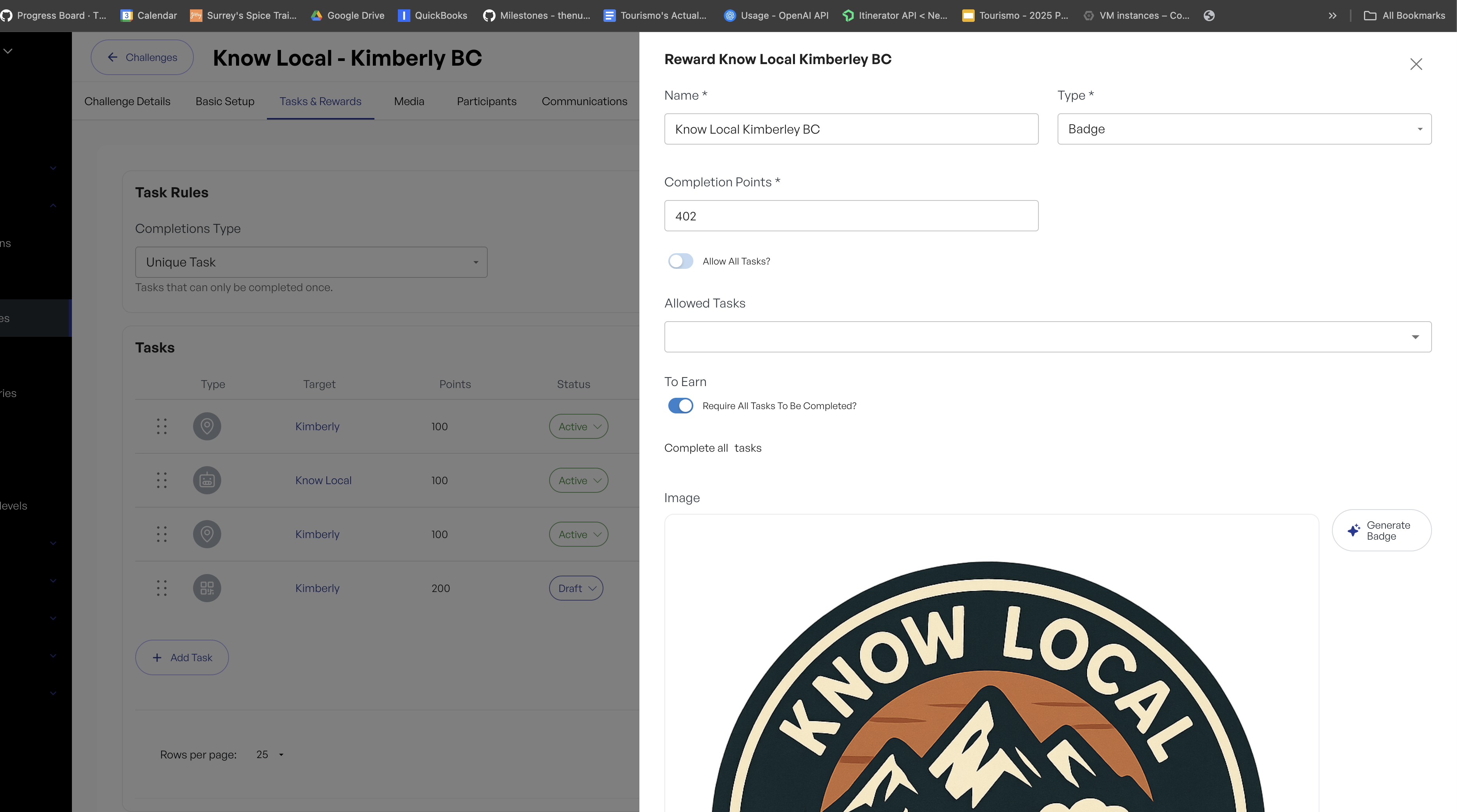
🎨 Magic Badges: AI-Generated, On-Brand Rewards
Say hello to Magic Badges: a fun, visual upgrade to challenges and activities.
Magic Badges use:
- Your brand colours
- ChatGPT-powered creativity
- Optional design instructions
To generate a badge, simply click Generate Badge on an existing, well-described reward (not during creation), add any design guidance, and voilà! A polished, custom badge appears.
It’s never been easier to make challenges feel rewarding and visually delightful.
📍 Media Names & Locations (with Map View!)
Managing media just got smarter.
You can now:
- View media assets on a map
- Filter media that has a location set
- Manually assign location points to media
When available, the system uses EXIF data embedded in photos to automatically source latitude and longitude. Since EXIF data isn’t always present, you can easily add or adjust locations manually as needed.
This is a big step forward for geo-aware storytelling and media organization.
🖼️ Found Media: Smarter Hero Image Suggestions
Starting this month, you may notice a new “Found Media” selector beside hero images.
This feature:
- Surfaces scraped web images or
- Suggests geographically nearby images
You can quickly choose one of these as a hero image for a listing or region — saving time while keeping visuals relevant and contextual.
🏠 Homepage Section Controls (Standard Sites)
You now have more control over your standard site homepage.
In production as of today, you can:
- Turn homepage sections on or off
- Control visibility of regions, itineraries, listings, and more
This is a foundational release — intentionally simple — that gives you the ability to start shaping your homepage per project. More customization options will follow.
📱 NEW App Feature: Popup Content Hooks
This is one of our most exciting releases of the month.
You can now create popup content hooks that appear the first time a user visits:
- The homepage
- A region or listing
- A challenge, itinerary, or event
These popups can display:
- Videos
- Ads
- Alerts
- Any type of custom content
Users can revisit the content later via a link below the hero image.
This feature is perfect for:
- Intro or welcome videos
- Educational content (like a “Welcome Trail”)
- Time-sensitive alerts (e.g. wildfire warnings)
- One-time-view content you don’t want permanently embedded
It also adds a dynamic, interactive layer that makes your app feel more alive and responsive.
⚙️ Smaller App Improvements (Shipping Today)
A few quality-of-life updates are also rolling out:
- Homepage CTAs are now closable
- Form website inputs are now available
- Markdown styling has been enhanced
- Search priority has been slightly adjusted for better results
📊 Timescale Selection in Reports
Reporting just got easier.
You can now select a timescale when viewing reports:
- Daily
- Weekly
- Monthly
This makes it significantly simpler to analyze trends and performance across longer time ranges without exporting or manual aggregation.
🏅 Manual Reward Assignment
You can now manually assign a reward badge from the Participants tab of a challenge.
This is useful when:
- A user completed a challenge but missed the reward due to an error or edge case
⚠️ Please note: manual rewards do not assign points, only the badge. A reminder note is included in the menu for clarity.
Related posts2